SOP 2: Create javascript program for the form vaildations
Create JavaScript program for the following form validations. Make use of HTML5 properties to do the following validations :
- Name, address, contact number and email are required fields of the form.
- Address field should show the hint value which will disappear when field gets focus or key press event.
- Telephone number should be maximum 10 digit number only.
- Email field should contain valid email address, @ should appear only once and not at the beginning or at end. It must contain at least one dot(.).
- Make use of pattern attribute for email to accept lowercase, uppercase alphabets, digits and specified symbols.
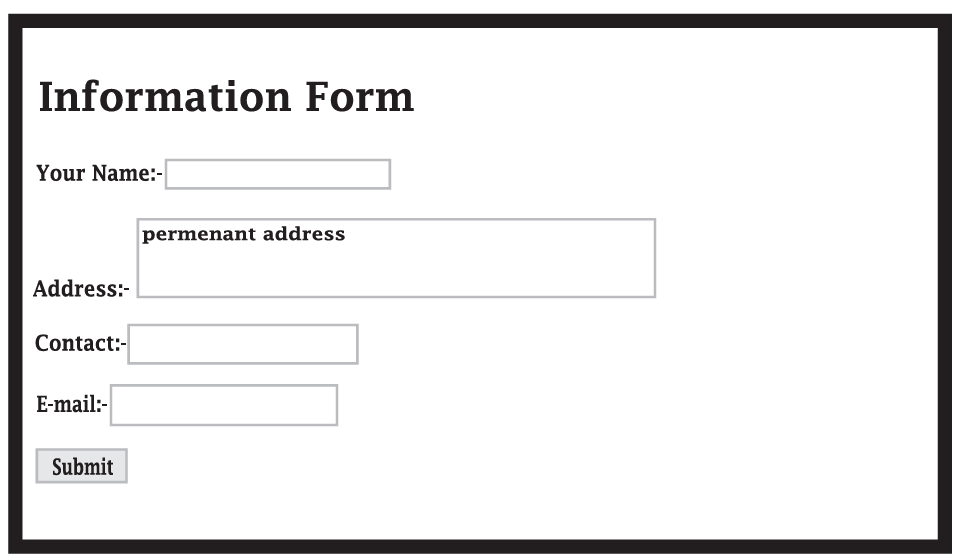
Source Code: index.html
<!doctype html>
<html>
<head>
    <title>Applicaiton Form</title>
</head>
<script type="text/javascript">
    function validateemail() {
        var str = f1.e1.value;
        var dotpositon = str.lastIndexOf(".");
        var atposition = str.indexOf("@");
        if (atposition < 1 || dotpositon < atposition + 2 || dotpositon + 2 > str.length) {
            alert("Please Enter a valid email Id");
        }
    }
</script>
<body>
    <h1>Information Form</h1>
    <form name="f1" onsubmit="validateemail()">
        Enter Your Name: <input type="text" name="t1" required><br><br>
        Enter Address: <textarea name="a1" cols="30" rows="2" placeholder="permanent address"></textarea><br><br>
        Enter Contact No: <input type="tel" max="10" name="c1" required><br><br>
        Enter Email: <input type="text" name="e1" required><br><br>
        <input type="submit" value="Submit">
    </form>
</body>
</html>